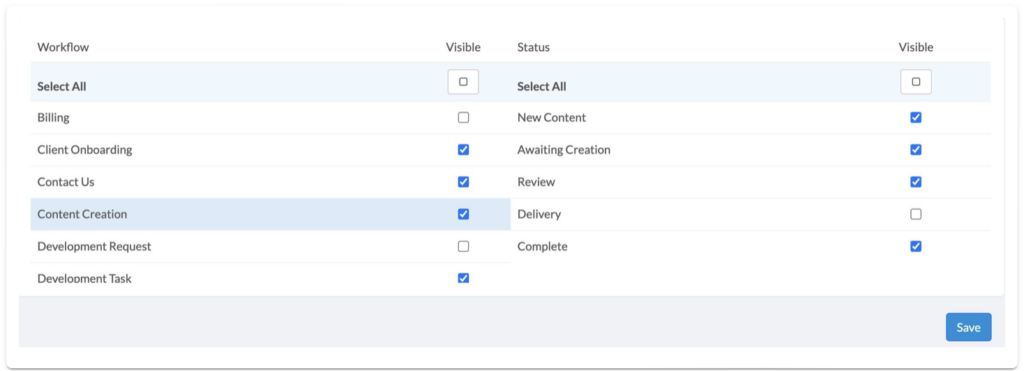
Internal Admins can control whatWorkflowstheir Team Members can and cannot see by editing theirWorkflow Visibility. Follow the steps below to manage Workflow Visibility.
- Click onUsersand thenMy Team Members.
- Click on the Team Member who you would like to edit Workflow Visibility for. This will take you to their profile page.
- Open the Workflow Visibility panel and click Edit Visibility.
- Check the Workflows that you wish to be visible to the Team Member, and uncheck the Workflows that you wish to hide from the Team Member. You can also control the visibility of thestatuseswithin Workflows.
- ClickSaveto apply the changes.