Real OLAP pivot tables. KPI alerts. Scheduled reports that arrive without anyone pulling them. Analytics that answer questions, not analytics that create more work.
The Problem
Excel exports that take an hour to prepare
Live dashboards that update automatically
Reports that are out of date by the time they're read
Data synced through the day
BI tools that cost more than your CRM
Analytics included in the platform
Data analysts needed for basic questions
Self-service exploration for everyone
Visualisation Types
Build dashboards that tell the story. Mix and match widget types to create views that work for your team.
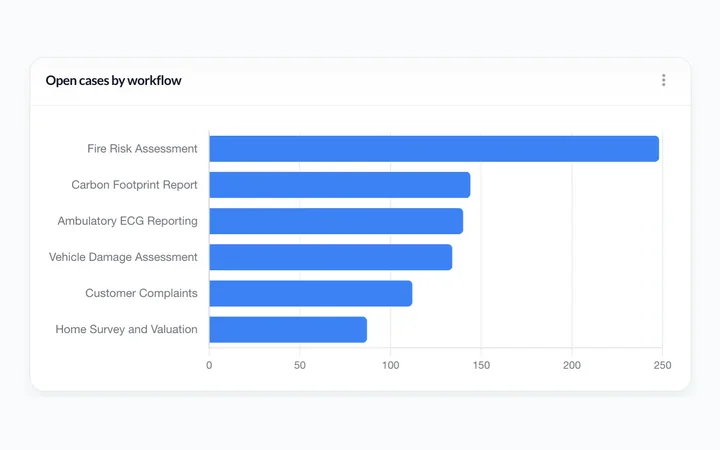
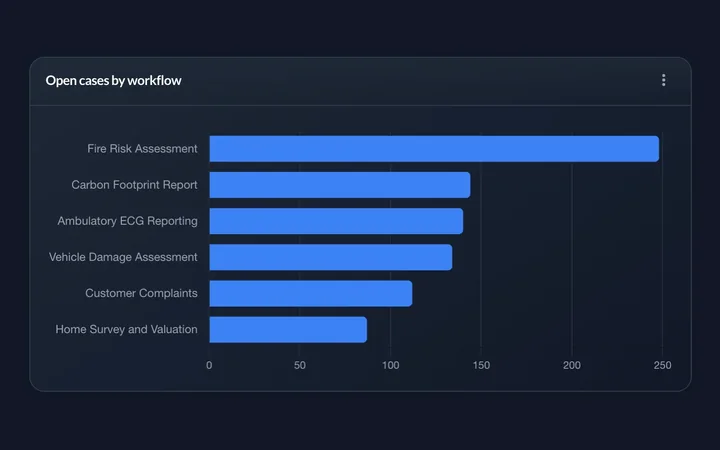
Compare values across categories. Stacked, grouped, or simple.
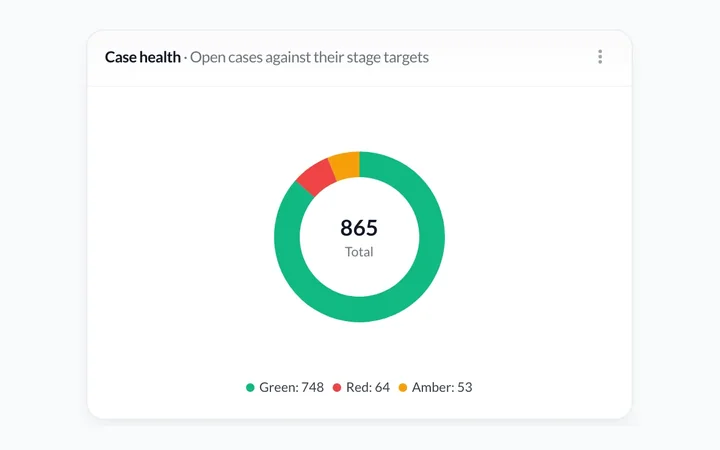
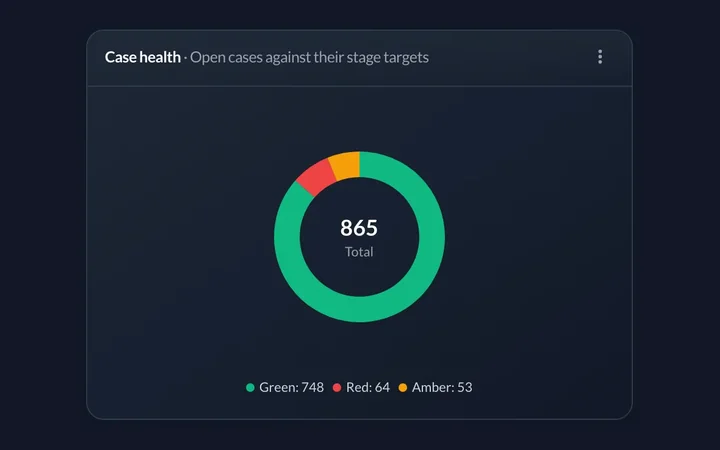
Show proportions at a glance. Perfect for status breakdowns.
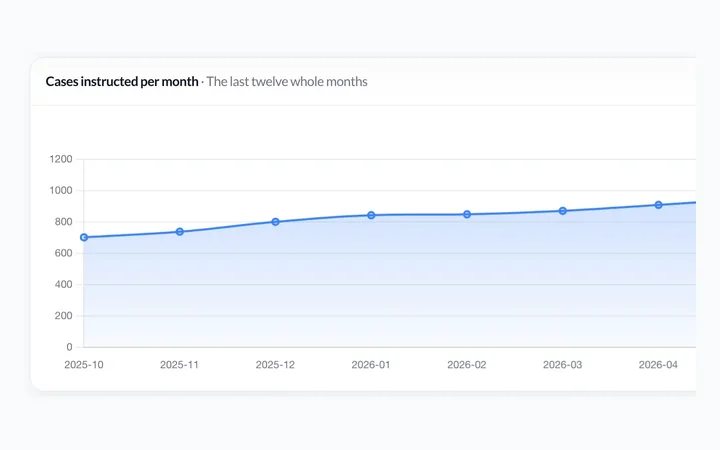
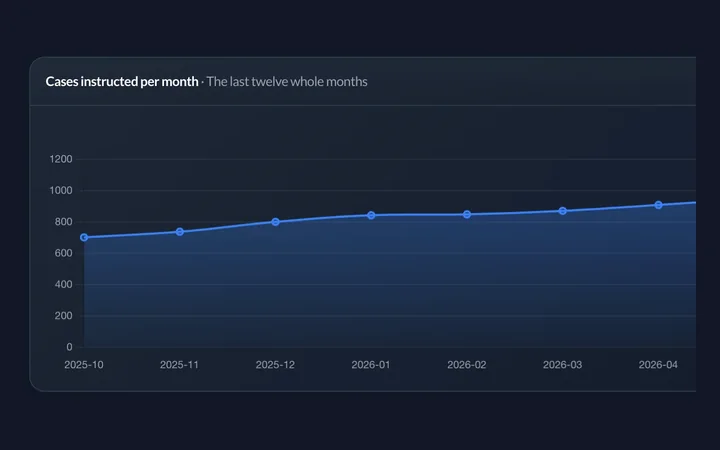
Track trends over time. Spot patterns and seasonality.
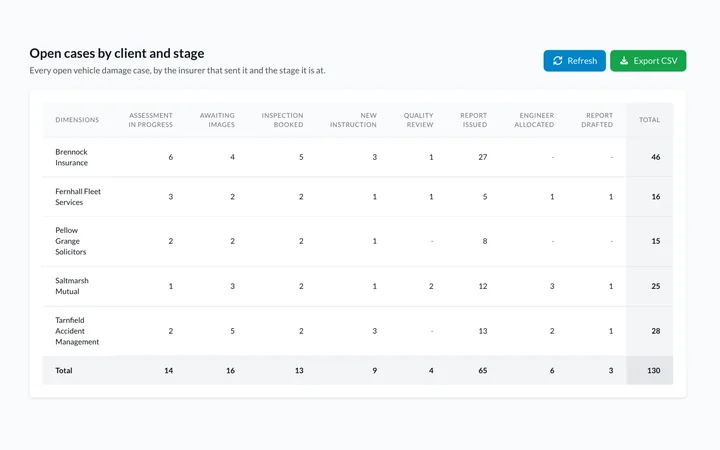
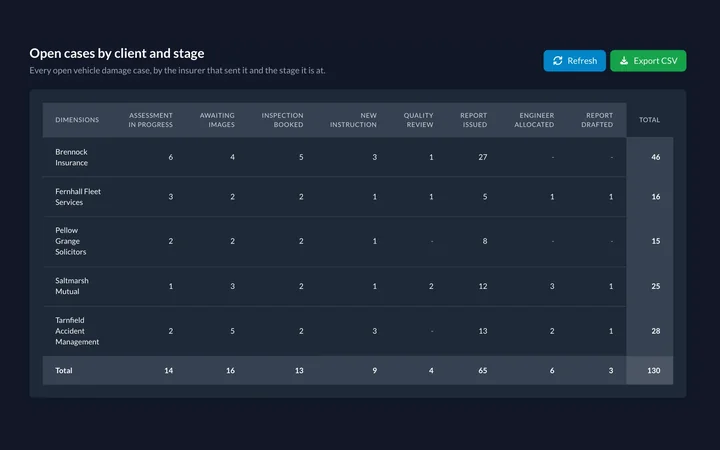
Drill down into any dimension. Slice, dice, and explore your data.
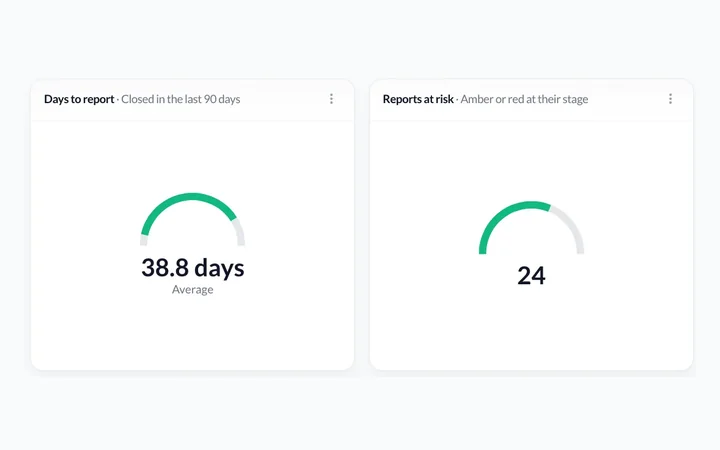
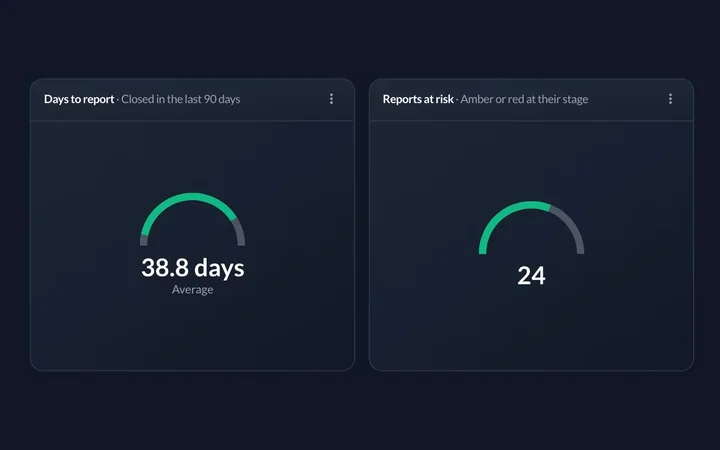
One figure on a dial, green while it's low and red as it climbs.
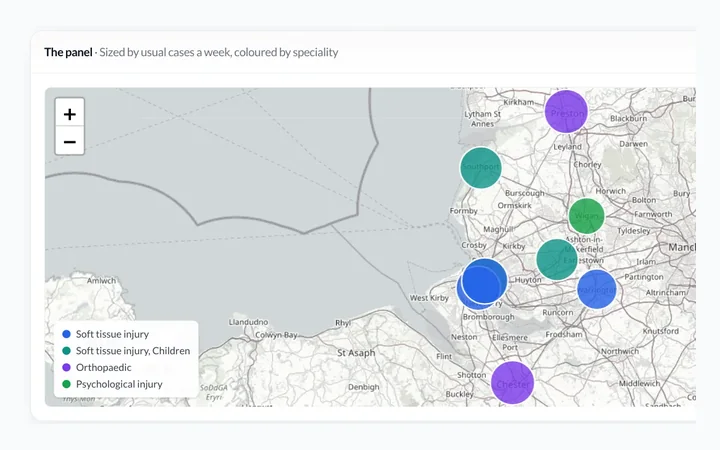
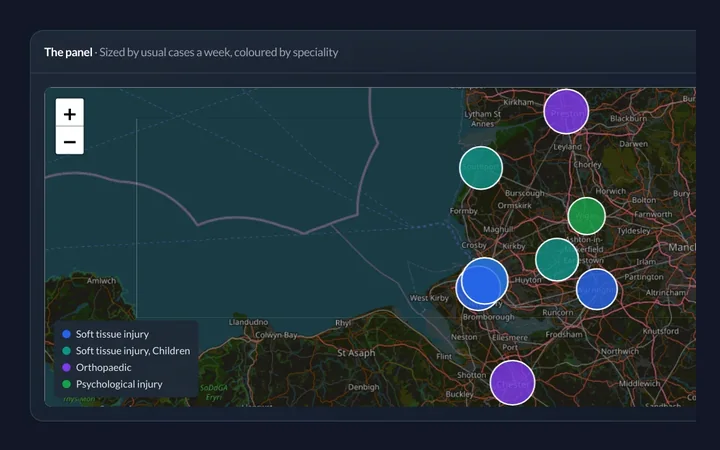
Plot people, sites or cases by location. Heat maps included.
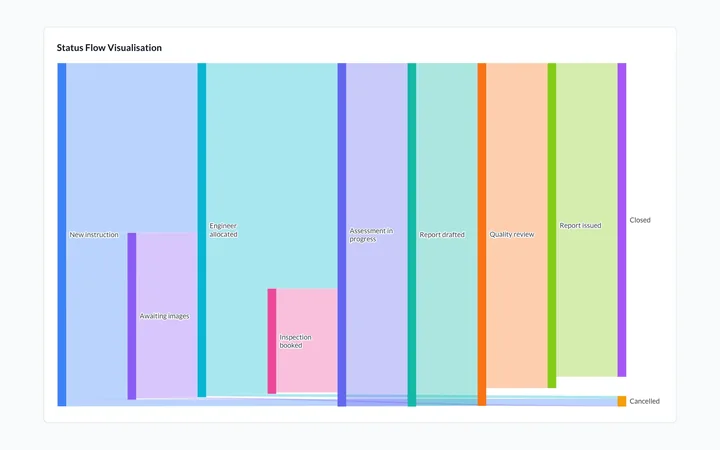
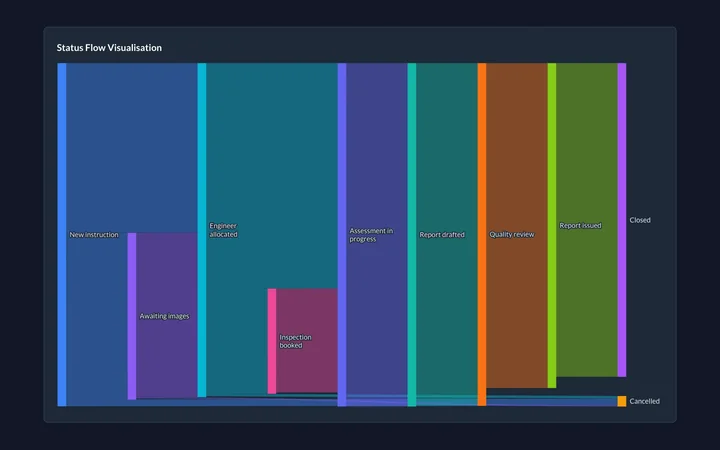
See how cases flow from stage to stage, and where they pile up.
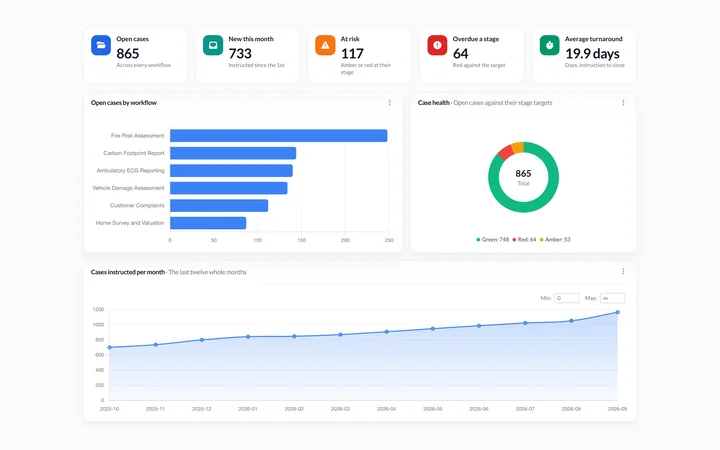
Combine any widgets. One view for everything that matters.
Screenshots
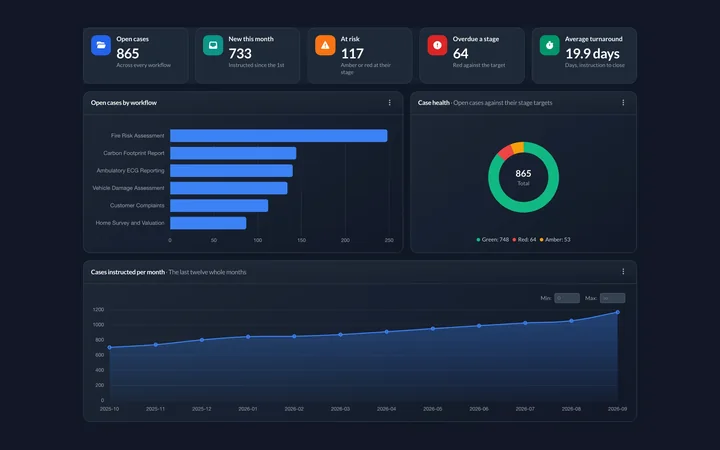
A vehicle damage firm's open cases by stage and handler, how its cases flow between stages, and its fees by month and by client. Last, a medico-legal firm's expert panel on a map, beside how its reports are going.
The sun and moon switch a screen between light and dark, and a click opens it full size.
See all 77 screens in the product tourCapabilities
Actual pivot table functionality. Drag dimensions. Drill into cells. Calculate subtotals. The analysis you do in Excel, but live on your real data.
Build derived measures from your data. Percentages, averages, YoY comparisons, custom formulas. No exports required.
Set thresholds. Get notified when metrics cross them. Daily SLA breaches trending up? Know before it's a crisis.
Excel, PDF, or email delivery. Daily, weekly, monthly. Management gets reports without anyone pulling them manually.
Control who sees what data. Team leads see their team. Directors see everything. Same dashboard, different views.
Share dashboards externally without login. Client portals, public displays, embedded reports. Secure, controlled access.
Dashboard Builder
Part of the Platform
No exports. No waiting for overnight updates. Analytics syncs from your SwiftCase data through the day, so what you see stays close to what's happening now.
Quick answers about SwiftCase analytics.
SwiftCase supports bar charts, column charts, pie and donut charts, line and area charts, OLAP pivot tables, KPI gauges with red/amber/green thresholds, geographic heat maps, and Sankey diagrams for flow visualisation. You can combine any of these widget types into custom dashboards tailored to your team.
Yes. Reports can be scheduled for daily, weekly, or monthly delivery. SwiftCase generates the report automatically and delivers it via email as an Excel or PDF attachment. Management receives up-to-date reports without anyone needing to pull them manually.
No. The dashboard builder uses a drag-and-drop interface. You select your data source, choose a widget type, and configure it visually. No SQL, no coding, and no data analyst required. Anyone with access can build and customise their own dashboards.
Yes. Dashboards can be shared via client portals with role-based visibility controls. You can also embed dashboards publicly for displays or external reporting. Row-level security ensures each user only sees the data they are authorised to access.
SwiftCase analytics syncs from your operational data on a schedule that runs through the day, so there is no overnight ETL to wait for. What you see on your dashboard stays close to what is happening in your system.
Bring your questions. We'll show you how SwiftCase analytics can answer them - with your actual data structure, not a demo dataset.